Teletherapy has changed the way speech-language pathologists connect with students. It’s flexible, efficient, and can be surprisingly fun — when you have the right materials. The challenge is finding games that truly keep kids engaged while still targeting speech and language goals.
If you’ve ever stared at your computer screen trying to make digital sessions feel as interactive as in-person therapy, this post is for you. Below, we’ll explore the best articulation and language games for teletherapy that are free, easy to use, and designed to make your virtual sessions smooth and effective.
These games work perfectly on iPads, Chromebooks, or laptops, and most require little to no setup. Whether you’re addressing articulation, vocabulary, sentence structure, or social communication, you’ll find games your students will love — and that will make your planning a lot easier.
1. Articulation Games that Keep Kids Talking
1.1. FreeSLP.com Digital Articulation Games
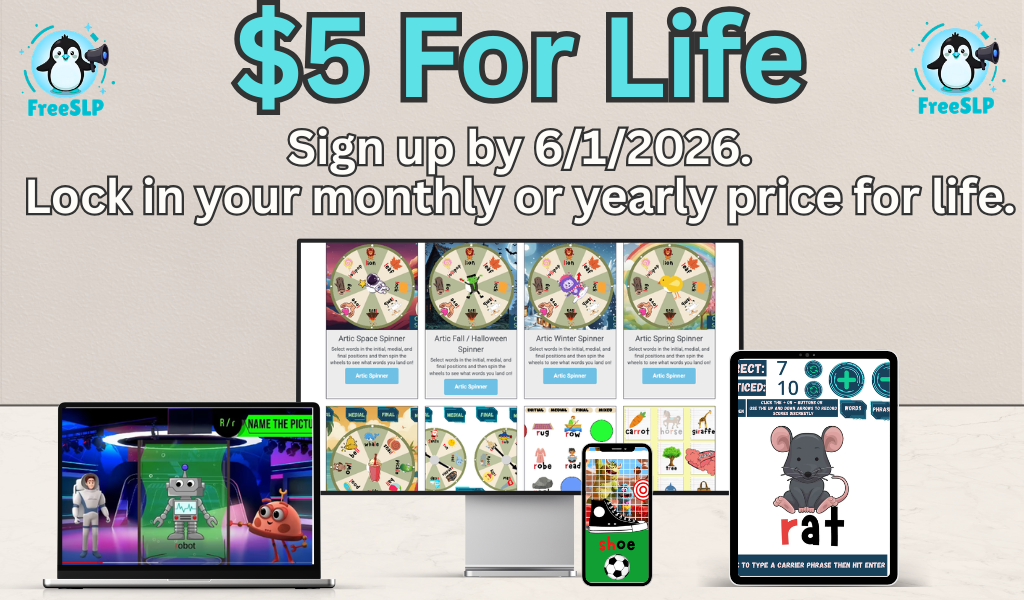
FreeSLP.com offers thousands of free, no-prep articulation games that open right in your browser. You’ll find digital spinners, board games, and sound hunts that target every phoneme from /p/ to /r/.
Each game can be shared via screen-share during teletherapy or opened by families for home practice. SLPs love how flexible they are — one game can work across multiple goals just by changing the cue words.
Try this: Open the Articulation Spinner Game during sessions and have each student say their target word before taking a virtual “spin.”
1.2. Wordwall.net
Wordwall lets you create custom speech games in seconds — from “Whack-a-Mole” to “Spin the Wheel.” Thousands of free decks are already available, so you can search “Articulation K Sound” or “Final S Words” and play instantly.
It runs smoothly in browser mode, making it ideal for Chromebooks. Students can even play independently during home practice for carryover.
1.3. Boom Cards (Free Decks)
Boom Cards are interactive, self-checking activities where students drag, drop, or click through speech targets. The free library includes hundreds of articulation decks — great for reinforcing initial, medial, and final positions.
SLP tip: Share your screen and let students “control” the deck in teletherapy sessions. It gives them ownership and makes articulation drills feel like a game instead of work.
1.4. Wheel of Names (Free Spinner Tool)
This simple, free spinner tool is great for mixed groups. Add target words, student names, or phonemes to a digital wheel and spin it live on Zoom or Google Meet.
Each time the wheel stops, students say or use their target word in a sentence. You can even theme it for holidays — think “Pumpkin Spin” in October or “Snowflake Spin” in January.
1.5. Toy Theater Games
Toy Theater is a treasure chest of online games, dice, spinners, and matching tasks that work beautifully for articulation therapy. SLPs often use it as a reinforcer between practice rounds, but you can also layer goals by embedding speech targets into the play.
Try “Memory Match” or “Word Search” for quick articulation reinforcement while keeping energy high.
2. Language Games for Building Vocabulary and Sentence Skills
2.1. FreeSLP.com Category and WH-Question Games
FreeSLP.com has an entire section of digital language games perfect for teletherapy. Favorites include Category Sorting, WH-Question Cards, and Describing Spinners.
Each one opens directly in your browser — no downloads, no sign-ups. These activities make it easy to target receptive and expressive language while keeping the visuals engaging and child-friendly.
SLP idea: Share your screen and have students “drag” items into the correct categories while naming and describing them aloud.
2.2. ABCya.com
Though designed for classrooms, ABCya’s educational games are ideal for language therapy. Use Story Maker to build short narratives or Word Clouds to expand describing skills.
For younger students, try games like Synonym Toast or Parts of Speech Quest — both excellent for grammar goals.
2.3. JeopardyLabs.com (Custom Games)
JeopardyLabs lets you build simple, interactive Jeopardy-style games online. You can create your own question sets targeting categories, vocabulary, or grammar, or search thousands of public templates.
It’s especially fun for group sessions — students take turns choosing a question and earning points while practicing complete sentences and conversational turn-taking.
2.4. Wordwall Language Sets
Wordwall isn’t just for articulation — it shines for language therapy, too. Create matching games for synonyms, antonyms, or irregular plurals. The built-in visuals and audio feedback make it ideal for students who need repetitive, visual practice.
You can even adjust difficulty by editing the number of items or the format (drag-and-drop, quiz, matching).
2.5. Kahoot!
Kahoot is a favorite for older students who love friendly competition. You can find tons of public quizzes for speech and language topics — or make your own.
Try creating a “Language Challenge” Kahoot for goals like inferencing, figurative language, or categories. It’s perfect for mixed groups and keeps kids laughing while learning.
3. Mixed-Goal Games for Groups
3.1. Digital Board Games on FreeSLP.com
One of the best ways to keep multiple students engaged in teletherapy is with digital board games. FreeSLP.com offers thousands — each playable online without downloads.
You can use the same game across articulation, WH-questions, and vocabulary targets. Just share your screen, move the game piece, and let students take turns saying their words or answering prompts.
3.2. Google Slides Interactive Games
Many SLPs create drag-and-drop or clickable games using Google Slides. These can include hidden pictures, mystery reveals, or matching activities.
Since Google Slides works across Chromebooks and iPads, it’s a reliable platform for any teletherapy setup. You can even add images from FreeSLP.com’s printable sets for custom designs.
3.3. Scavenger Hunts
Virtual scavenger hunts are an easy way to build expressive language. Ask students to find something that’s soft, blue, round, or starts with /s/.
This activity builds describing vocabulary and is especially motivating for younger kids who love to move around.
3.4. Digital Dice Rollers
Digital dice (like those on Toy Theater or DiceApp.io) make quick warm-ups or reinforcers. Assign each number to a category — for example,
1 = say a /k/ word,
2 = answer a WH-question,
3 = name a synonym, etc.
It’s random, fast-paced, and works great in short sessions.
3.5. Canva for Visual Language Games
Canva’s free education version lets SLPs design matching cards, sentence builders, or describing charts in minutes. Share them live in teletherapy or download them for classroom use.
Create sets with real images to support generalization — like “kitchen items,” “emotions,” or “community helpers.”
4. Turn-Based and Reinforcement Games
4.1. PBS Kids Games
For younger students, PBS Kids offers safe, simple browser games that can act as short reinforcers. Use 2–3 minutes of play after articulation or WH-question drills.
Pick familiar characters and themes like Daniel Tiger, Wild Kratts, or Curious George to maintain attention.
4.2. Online Pictionary or Drawasaurus
Drawasaurus (free online Pictionary) is a hit in teletherapy sessions. You can choose simple words for students to draw, then have others guess using complete sentences.
This naturally targets expressive language, turn-taking, and inferencing skills.
4.3. Story Cubes Online
Digital versions of “Story Cubes” generate random images that students can combine into silly stories. It’s ideal for narrative language, sequencing, and grammar work.
Ask students to tell a short story using three images while practicing smooth, clear speech.
4.4. Blooket (Free Games)
Blooket is an interactive quiz platform similar to Kahoot but with mini-games like “Gold Quest” and “Tower Defense.” You can upload your own question sets for articulation, categories, or grammar and let students compete virtually.
It’s highly motivating for older students who enjoy gaming-style interaction.
5. Practical Tips for Teletherapy Success
-
Keep visuals clear. Use bright, uncluttered images that display well over screen-share.
-
Give frequent turns. The more students talk, the less screen fatigue they experience.
-
Use consistent routines. Start sessions with a short warm-up game and end with a quick review.
-
Rotate games. Revisit favorites monthly to reduce prep while keeping familiarity.
-
Share links for home practice. Encourage parents to access FreeSLP.com digital games between sessions.
Conclusion
Teletherapy doesn’t have to feel like a compromise. With the right digital tools, you can make virtual sessions as interactive and productive as in-person ones.
From articulation spinners to WH-question games, these free online activities help kids stay motivated and build real communication skills. Bookmark your favorites, rotate them weekly, and let FreeSLP.com be your go-to source for no-prep articulation and language games that make teletherapy easy, effective, and fun.
FAQ Section
1. What are the best free articulation games for teletherapy?
Some favorites include FreeSLP.com’s Articulation Spinners, Wordwall decks, and Boom Cards. They’re interactive, quick to load, and perfect for online practice.
2. Can I use these games on Chromebooks?
Yes! All tools listed here work directly in your browser. No downloads or special apps required.
3. How do I keep students engaged during online sessions?
Alternate between structured activities and short, fun reinforcers. Give students control of the mouse when possible — interaction boosts attention.
4. Are these games appropriate for group therapy?
Absolutely. Many of these games allow turn-taking and score-keeping, making them ideal for small groups.
5. Can parents use these tools at home?
Yes. Most of the games on FreeSLP.com and Wordwall can be played from home, making carryover simple and consistent.
6. How do I target multiple goals at once?
Choose flexible games like digital board games or scavenger hunts that let you address articulation, language, and social skills within one activity.
7. Where can I find more free digital therapy materials?
Visit FreeSLP.com for hundreds of free games, spinners, and printable resources made by SLPs for SLPs.